
Lagary Contact us
Qualifyby Lagary Get a demo
Product
Forms & Records E-Forms Instructor App Programmes & Scheduling Simulators & Resources People & Credentials Microscope Compliance
Who it's for
Airlines, Training Centers, Flight Schools Use cases
Company
Lagary Security & privacy Get a demo
HomeUse cases › Crew reports

Reports crews file themselves

Safety reports, fatigue reports and the rest, filed from the same iPad and reviewed with the same care as a check.

Where it starts

A paper form in the crew room and a shared inbox

The report is written on paper or in an email, arrives days later, and is typed into a spreadsheet by whoever is on duty. Nobody can say which version of the form was used, whether it was signed, or who read it.
  • Forms photographed, emailed and retyped
  • No signature, no acknowledgement, no trail
  • Safety and training both wanting a system, neither wanting the other's data
Archive boxes
Fig. 01The shared inbox
Inbox tray with filed forms
Fig. 02Filed and signed
What Qualify does

The same machinery over a different family of forms

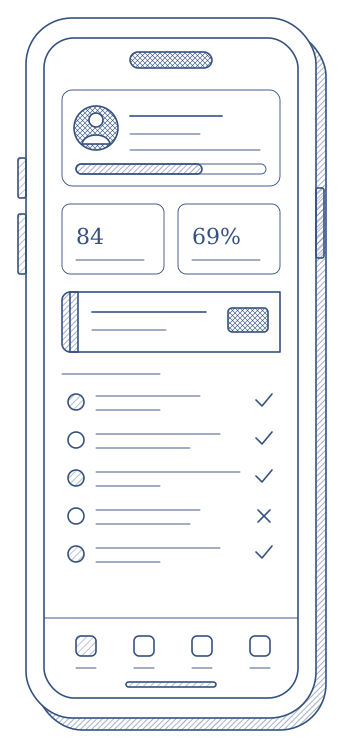
E-forms are built in the same builder as the checks, without the grading tabs. Crews file them from the iPad or the web, with the flight or the session attached when there is one. Whoever files it signs inside the form, the filing goes through review and approval, and each person sees the e-forms filed about them in their own list.
  • Sections that appear only when they apply, with attachments crews can open
  • Returned with a note, or rejected with a reason the author sees
  • A separate permission family, so safety can run it without seeing a grade
  • A notification to whoever you name the moment a form is filed
What you end up with

A filing that is a record

  • Every report on the version of the form it was filed on
  • Search by person, flight, registration or route, with true counts
  • Export into the authority's own PDF, in the browser
  • Training and safety on one product, each seeing only its own
Phone showing a list of filings
Fig. 03Own filings, own phone
How the product runs it

Four weeks to the first filing

01

The forms

Safety, fatigue and the others rebuilt in the e-form builder, with the sections that only apply sometimes.

02

The team

A safety role that reviews and approves e-forms and sees nothing of training.

03

The layout

The authority's PDF uploaded and mapped once, for the export.

04

The crews

The form in the iPad catalogue, a notification rule for the safety manager, the first filing.

Related use cases

Leaving paper records behind

Read

Printing onto your own forms

Read

Telling the right people

Read